Dornheim DICOM Viewer

Visualize medical 3D image data - interactive and intuitive.

Rely on the world's most widely used independent commercial DICOM viewer. View, explore, and measure your medical image data more easily and quickly than ever before in 3D and 4D.

The Swiss Army knife for professionals, yet simple enough for interested patients who would like to take a look at their own image data.

190+

Countries worldwide

250k+

Installations

The world's most widely used independent commercial DICOM viewer.

Why another DICOM viewer? Sometimes the simplest things are the best ...

We were actually developing a classification system for tumor surgery together with a surgeon when he casually asked: Why don't you build a DICOM viewer? Our reaction: What for? They come on every CD from the imaging department. His answer made us rethink: They are all hard to use, each one works differently – and none of them can do 3D. Without the radiologist's two-line summary, I don't get very far with them. You are so good at three-dimensional visualization. That is exactly what I would need. And please keep it simple.

From that one aside, the Dornheim DICOM Viewer was born: a viewer that does not merely display medical image data, but truly lets you understand it in 3D – independent of the acquisition device, on every platform, and so intuitive that it works not only for researchers at university hospitals, but also for patients who simply want to take a look at their own data. Today it is in use in 193 countries.

Visualize
Understand
Explain

Everything you need for exploration

From interactive viewing to precise measurement: a powerful set of features for everyone, whether patient, physician, researcher, lecturer, author, or simply the curious.

High-End Rendering

Interactive volume rendering and realistic 3D cutting planes for in-depth insights.


  • Real-time interactive volume rendering
  • Freely orientable cutting planes and clipping box
  • Endoscopic view for surgical planning
  • Stereoscopy support
Precise Measurements

Measure lengths, angles, and areas in 2D and 3D directly within the dataset.


  • Precise measurements in 2D and 3D
  • Annotations and markers
  • Export as high-resolution images and videos
Full Connectivity

Seamless PACS integration, indexing of DICOM collections, and CD import.


  • Fast indexing and preview
  • Open DICOM CDs directly
  • Conversion and anonymization
  • PACS connection (Professional)
Privacy Tools

Built-in features for anonymizing and filtering sensitive patient data.


  • Built-in anonymization (de-identify)
  • Ideal for lectures and case presentations
  • Local data storage (no forced upload)
Presentation

Create annotations and export views as images or videos.


  • Export as an image series or 4K video
  • Surface export (STL, OBJ) for 3D printing
  • Creation of key images for reports
International

Available in German, English, Spanish, French, and 10 additional languages.


  • Multilingual user interface

Impressions of the Dornheim DICOM Viewer

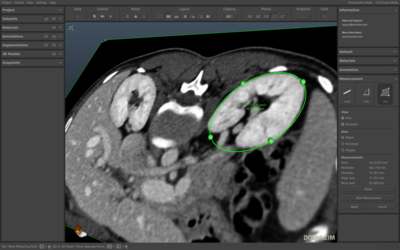
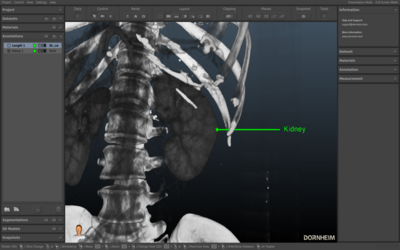
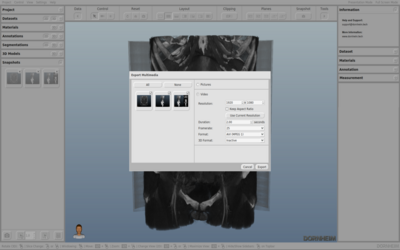
The following screenshots show you the wide range of capabilities of the Dornheim DICOM Viewer.

Swipe sideways to see all screenshots
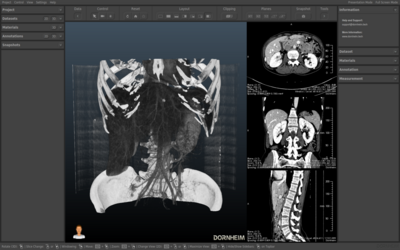
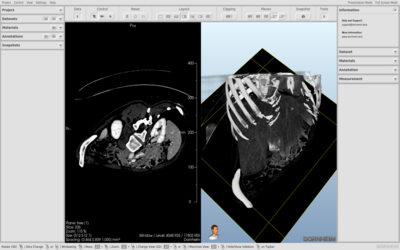
Split view
Split View
Split view with cutting plane
Split View with Cutting Plane
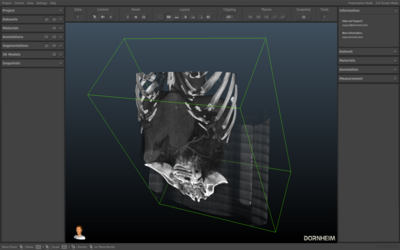
Clipping Box
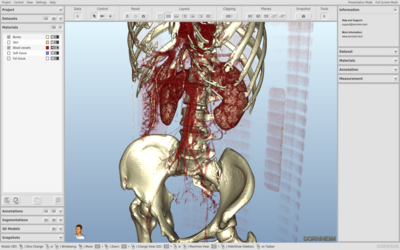
Clipping Box
Material representation
Material Representation
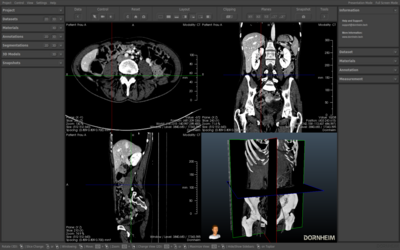
Free cutting planes
Free Cutting Planes
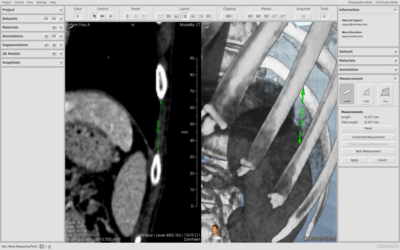
Length measurement
Length Measurement
Area measurement
Area Measurement
Annotations
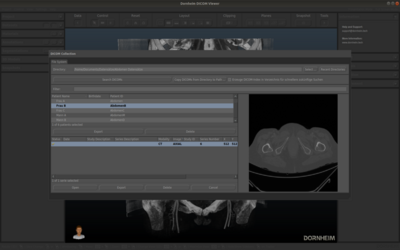
Annotations
DICOM collection
DICOM Collection
Video export
Video Export

See the software in action

Short videos show you the key features of the Dornheim DICOM Viewer.

Features at a Glance
Measuring in 2D & 3D
Video Export

Our Pricing

Transparent and fair. No hidden costs.

Free
€0

Free forever

  • 1 user
  • Basic features
  • Community support
  • Cloud storage
  • API access
Get started
Recommended
Premium
€4.99

per month

  • 1 workstation
  • Advanced visualization (clipping, free cutting planes, endoscopy, stereoscopy)
  • Measurements & image/video export
  • Offline use
  • Email support (24h)
  • PACS connection
Buy
Professional
€9.99

per month

  • All Premium features
  • Floating license (multiple workstations)
  • PACS connection
  • Caching for large & numerous datasets
  • Anonymization & pseudonymization
  • Dedicated contact person
Contact us

All Features in Detail

A detailed overview of the capabilities of each edition.

Free
PremiumPrem.
ProfessionalProf.

Perpetual
Single license €0 from €99 from €199
Subscriptions
Annually (incl. upgrades and service) from €39.99 from €79.99
Monthly (incl. upgrades and service) from €4.99 from €9.99
License Types
Online
Offline
Floating

Platforms
Windows
Mac
Linux
Hardware Support
Multi-core CPU support
OpenGL support (NVIDIA, AMD, Intel)
Configuration
Language selection (German, English)
Color schemes (light, dark)

Import
DICOM (2D stack, 3D multiframe)
Generic volume datasets (RAW, MetaIO, VTI)
Image stacks
Dornheim Segmenter projects (SEG)
VGStudio (VGI)
3D ultrasound (VOL (Kretzfile/GE))
Annotations (XML)
Export
DICOM (2D stack, 3D multiframe)
Generic volume datasets (RAW, MetaIO, VTI)
Image stacks
Dornheim Segmenter projects (SEG)
Views
Videos
3D views
3D Videos
Annotations (XML)

DICOM
DICOM Browser
DICOM preview
DICOM Index
Dataset information
DICOM tag list
PACS connection
Anonymization
Visualization
Various viewport layouts
2D slices (axis-aligned)
2D slices (freely orientable)
3D plane (axis-aligned)
3D plane (freely orientable)
3D volume rendering (window / level)
3D volume rendering (material functions)
3D volume rendering (segmentations)
3D models (meshes)
Clipping (freely orientable box)
Clipping (segmentation-based)
Camera navigation mode

Stereoscopy
Color anaglyph display
Top-and-bottom / side-by-side
Interlaced display
Views
Navigation
Animation
Creation

Datasets
Reformatting
Orientation
Mirroring
Smoothing
2D / 3D cropping
Inversion
Annotations
Text
Point
Arrow
Path
Image
Colorize group
Measurement
Length
Angle
Area

Download & Installation

Ready to use in just three steps. Every installation already includes all editions – Free, Premium, and Professional. Your license key determines which features are unlocked. You always start free of charge with the Free edition and can upgrade at any time later.

1
Download & install

Download the Dornheim DICOM Viewer for your operating system – directly here from our website or conveniently via the store. Whichever route you choose, the installation always includes all editions.

2
Start free of charge

On first launch, the software automatically creates a Free license key for you. You immediately use all features of the Free edition – with no registration at all. Our manual and tutorials help you get started.

3
Upgrade when needed

Would you like more? Unlock Premium or Professional – conveniently via in-app purchase directly in the software or through our online shop. Your license key activates the additional features immediately.

Go to the online shop

Payment processing via FastSpring